 New
Model space
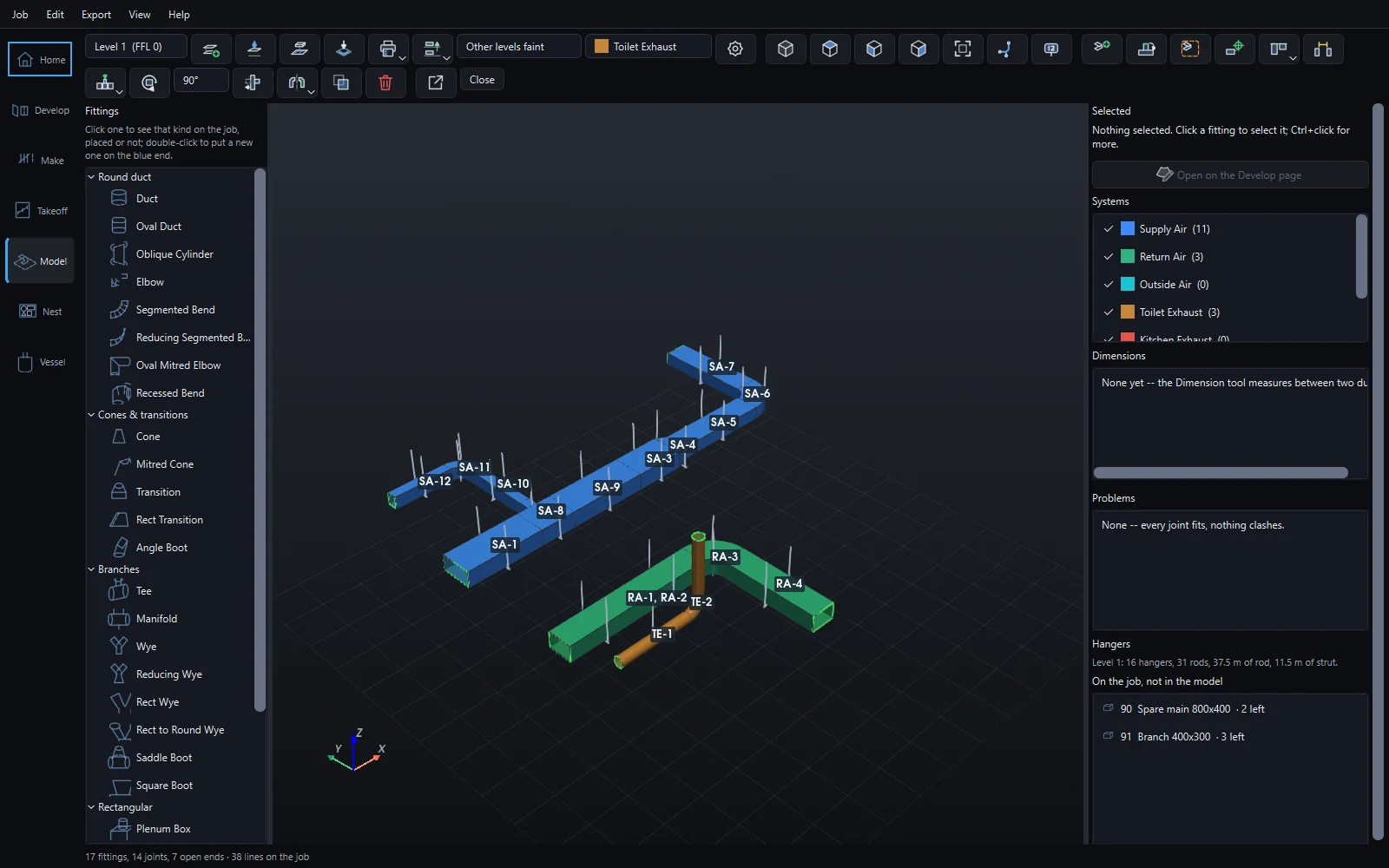
Ductwork laid out in 3D, piece by piece, the way it is installed. Levels, grids and RLs; dimensions that hold; clashes in red. Every fitting is a part on the job, numbered and developed flat.
- Build off the open end, over the builder's PDF laid on the floor
- Levels with ceiling voids, typical floors, a site datum
- Position to a grid line, dimension and lock; hangers measured from the slab
- Systems in their colours, the job's part numbers on the model

PDF takeoff
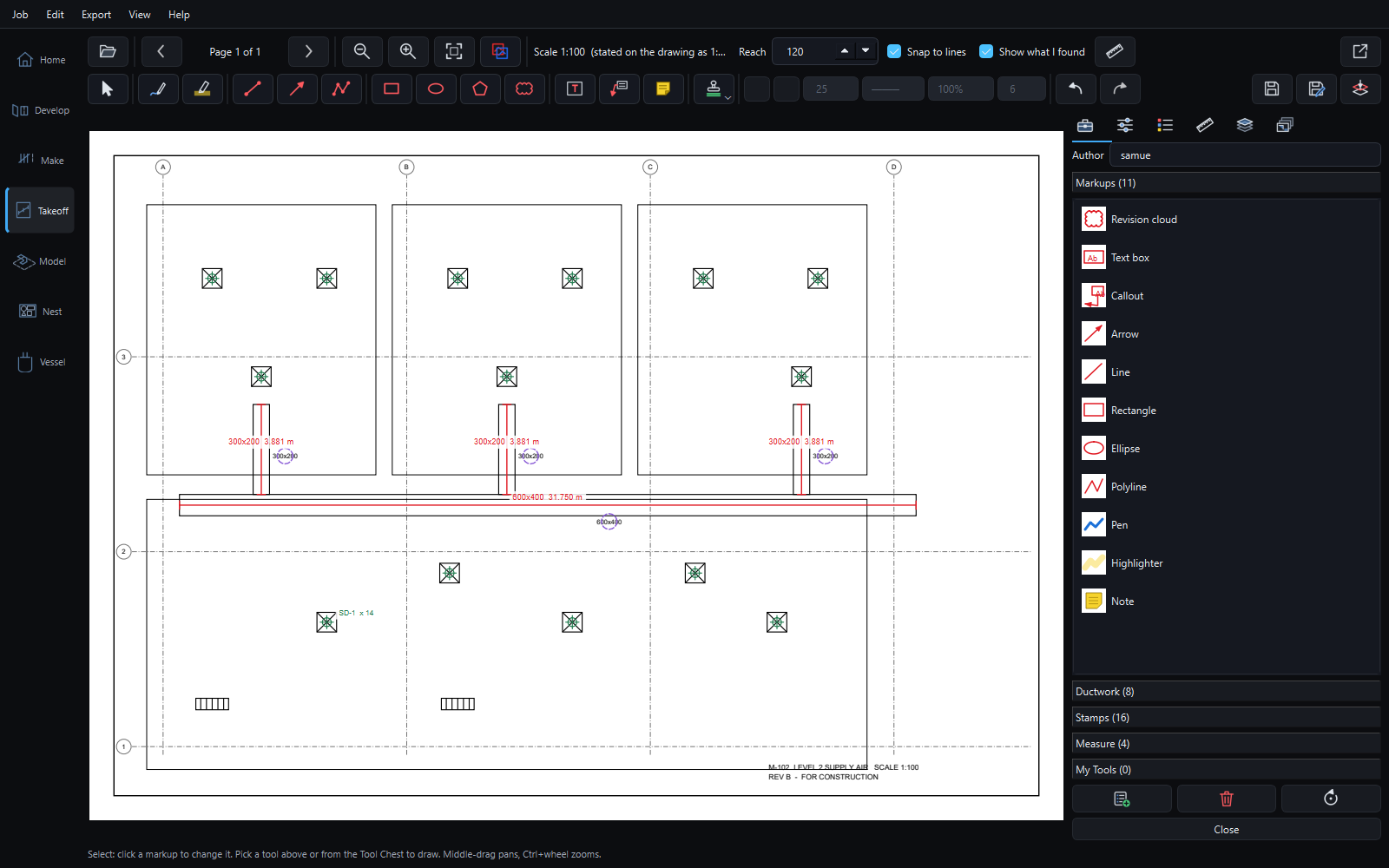
Measure and count straight off the builder's drawings. Box one diffuser and every one like it is found; lay revision B over A to see what changed; push the runs into the job.
See PDF takeoff →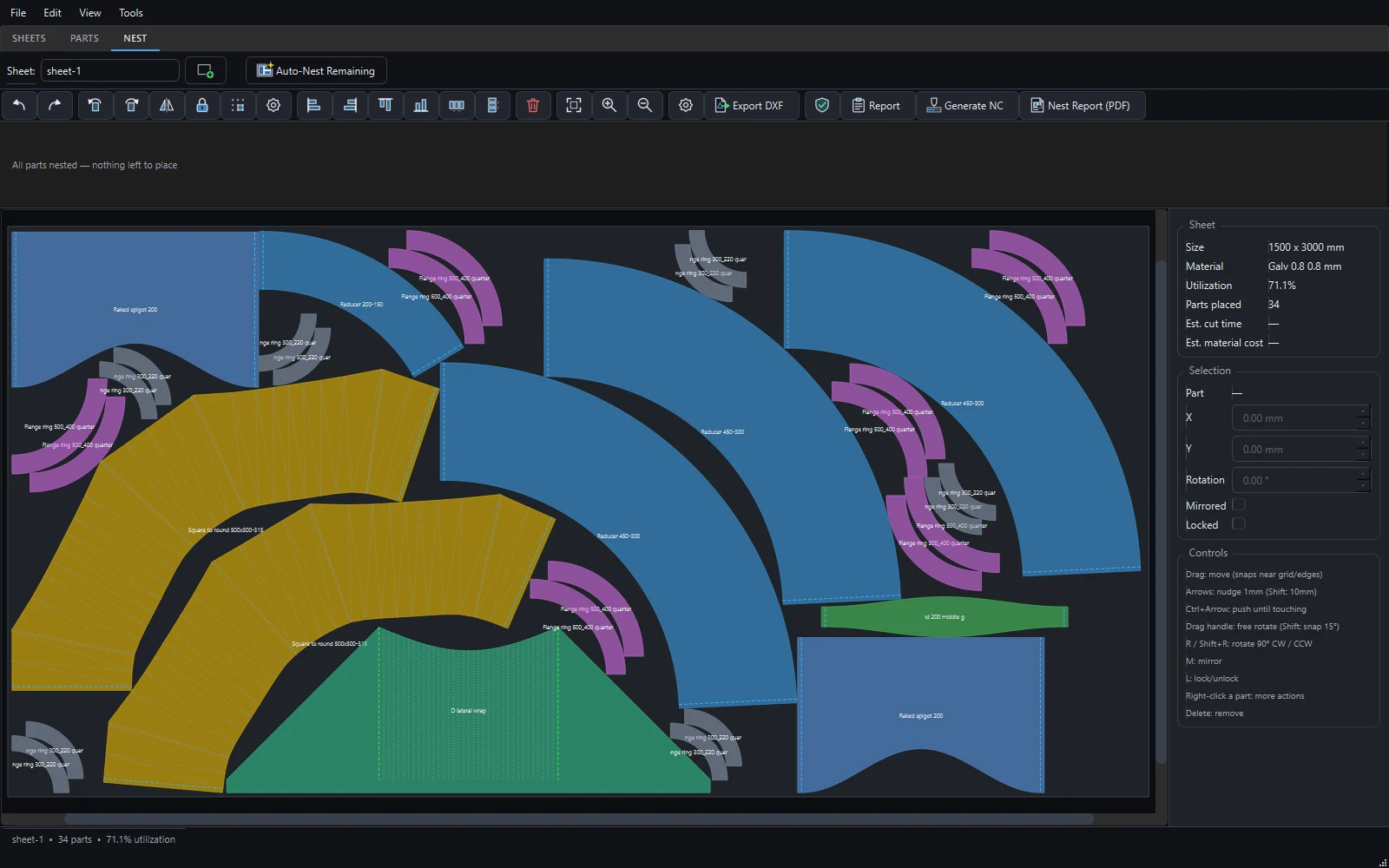

Nesting and CNC
The job's parts nested onto your sheets, plate and offcuts, with kerf, leads placed in the scrap, and the program written for your table through a post you can edit.
See nesting and CNC →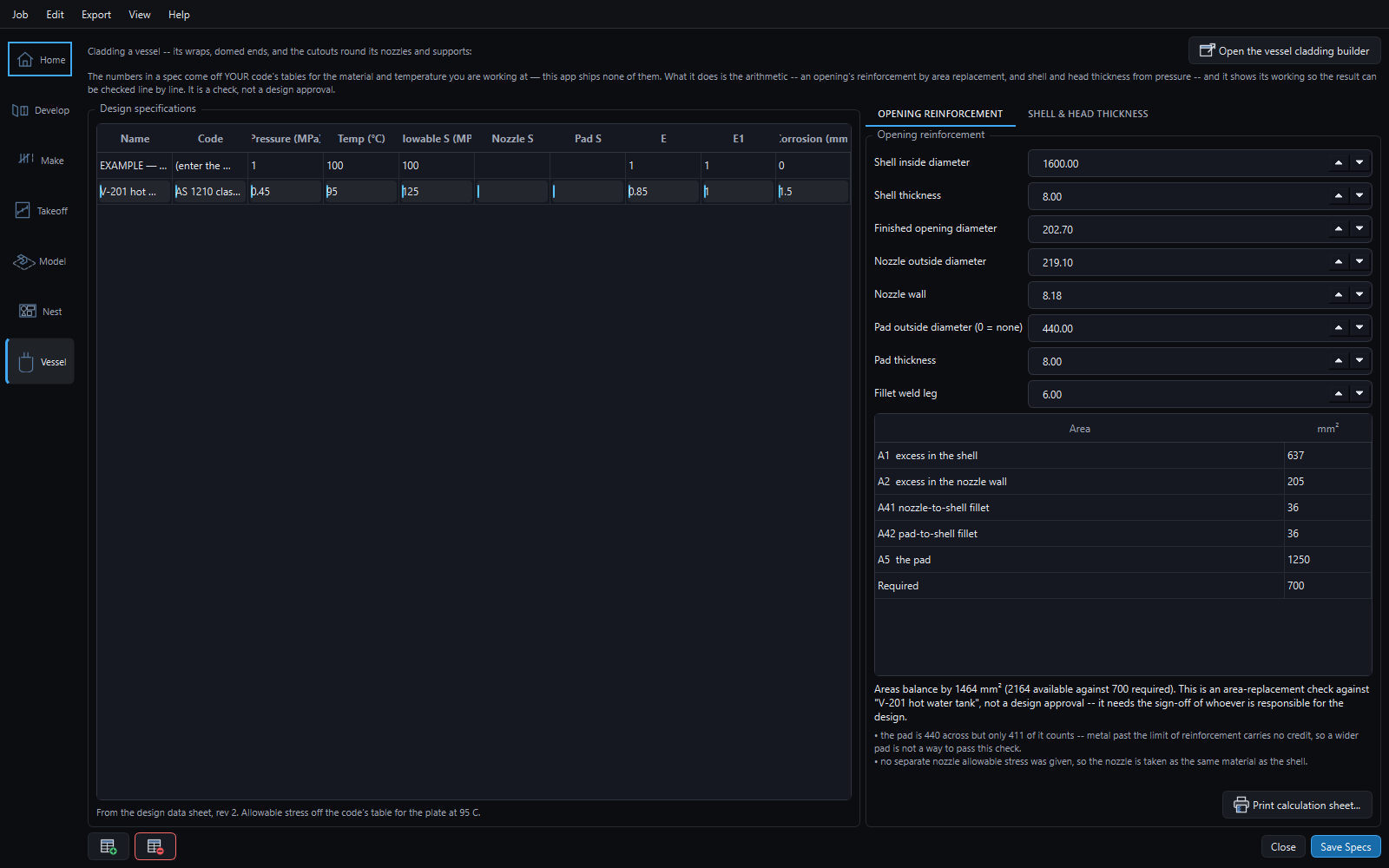

Vessel calculations
Your own design specs; shell and head thickness from pressure; the area-replacement check for a nozzle. Every line of the working shown, and printed on a sheet to sign.
See vessel calculations →